




Existem dois metodos para dois tipos de telemoveis android, os que tê, ROOT e os que estão bloqueados, em caso de não saberem poderei explicar mais à frente caso peçam.
Fazer recovery mode com ROOT.

Desliga o telemovel, no caso de estar bloqueado retira a bateria mas o importante é ter o telemovel desligado.

Agora precisas de carregar os botões de recovery, estes variam de telemovel para telemovel mas seja como for vou-vos dar os mais usados,
-Botão aumentar volume + botão Home + botão Power
-Botão aumentar volume + botão Power
-Botão Home + botão Power
Deixo aqui alguns videos para terem um ideia dos nokia Lumia e Samsung.


Seleccionem a confirmação que querem apagar todos os dados.

Esperem que o telemovel reinicie por completo e devera fazer o restart sozinho, tenham sempre bateria quando fazem este procedimento e esperem que ele reinicie ate aparecer as configurações iniciais do telemovel, mas se demorar mais de dez minutos alguma coisa deve estar mal, tentem novamente ou coloquem a qquestão.
Mais alguma pergunta digam, sei que é muito vago mas são tantas as opções que se não perguntarem nunca poderia colocar aqui tudo.
Bons factory reset e espero ter ajudado.


Aqui vão algumas explicações básicas.
Recovery:
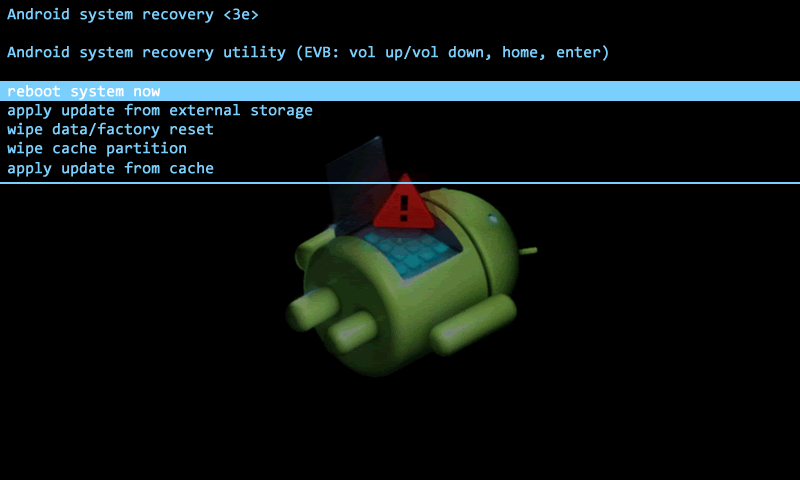
Tem como ideia básica recuperar o telemovel para uma imagem anterior, isto é ideal para quando alteras a ROM, para melhorar a performance do telemovel ou ainda para instalar Apps a partir do cartão SD.
Hard Reset:

Colocar o telemovel como veio da fabrica e isto é fundamental para quebrar as palavras passe que estão no inicio dos telemoveis, quando esquecemos o codigo de desbloqueio da tela, contudo não funciona quando alteras a ROM, terás de instalar outra ROM.
ROM:

É como alterar o motor do vosso carro, o que faz é alterar a imagem e app do telemovel por completo, por exemplo eu tive um optimus boston que coloquei a ROM de um Xperia, Samsung galaxy etc... isto esta sempre limitado às funcionalidades do telemovel, pode por vezes ficar mais lento ou por vezes ficar com a mesma velocidade e mais funções, é tudo um caso de jogar com a capacidade do telemovel.
Ao longo dos ultimos tempos descobri inumeras formas de fazes isto, caso precisem de ajuda digam pode ser que possa ajudar, eu não uso ADB, gosto de desbloquear sem programas extra, e caso queiram alguma informação é só deixar comentários com as perguntas.
Até breve.
1-Menu Windows
2-Executar
3-Escreve: services.msc
3.1-Na página que abre consegues ver as descrições de cada programa, basta carregar no programa, vês se esta para começar automaticamente com o Windows, Manual contigo ou Desactivado
3.2-Carrega no botão direito do rato, no programa que queres alterar, escolhe Propriedades, escolhe Tipo de Arranque e altera.
3.3-Carrega em Actualizar para o computador actualizar a alteração.
4-Se quiseres consegues ainda programar o que o computador deve fazer quando um determinado programa falha, basta seguir os passos ate 3.1
4.1-Carrega no botão direito do rato, no programa que queres alterar, escolhe Propriedades, escolhe na barra de cima Recuperação
4.2-E tens a opção do que fazer até 3 falhas do programa
4.3-Carrega Ok e Actualiza
Espero que tenha sido útil, até à próxima...
After a long time here are some powerpoint templates for presentatios that someone had asked me to put online, so after a couple of weeks here they are, or ate least the one´s that i´ve not lost while they were offline consuming space in my hard drive.
Any question or idea please send me a reply or email, thanks.
From microsoft!
 Microsoft templates
Also:
"
5 Free PowerPoint Templates to Get You Started
To save you some time, I dug through the PowerPoint templates on the Microsoft site. I think that they could be the starting point for some nice elearning templates.- Chalkboard: you can’t go wrong with a chalkboard template especially when it has a bunch of layouts.

- Theme Gallery: simple, yet clean layout with a few different slides from which to choose. Good way to learn to use the PowerPoint shapes to create templates. This also works great when you want to apply your own color scheming.

- Interactive Progress Meter: the template is designed to measure fund raising progress but could easily be adapted to some sort of course progress meter or as a simple game-like measure.

- Retro TV: the retro television is a great asset. Put your own pictures or videos behind the image of the television set.

- Bull’s Eye: nothing real fancy about this template, but I like the bright colors. Plus, there are so many applications for bull’s eye targets in elearning it doesn’t hurt to have at least one stand by template, even if it is real simple.

- 10 Question Pop Quiz: comes with a classroom background slide and the pop quiz structure’s a good way to learn to use the selection pane and click and reveal triggers in PowerPoint. Probably works better for PowerPoint than rapid elearning, though.

Also, don’t forget to take advantage of the free PowerPoint and Storyline templates in the Elearning Heroes community." (Copied from this blog at 13 june, 2012)
Ps, here are some extra tips from Seths Blog (How to make graphs that work).
#loading {
text-align: left;
position:fixed;
width: 100%;
height: 900px;
line-height: 1px;
}
#loading2 {
}</style>
<div id='loading'><div id='loading2'><font color='#ff0000' size='3' style="font: italic;"><b><img src='http://www.thematrixx.oi.com.br/lic/loading.gif'/></b></font></div></div>
<script>
// CARREGANDO //
function addLoadEvent(func){var oldonload = window.onload;if(typeof window.onload!='function'){window.onload=func;}else{window.onload=function(){if(oldonload){oldonload();}func();}}}addLoadEvent(function(){document.getElementById("loading").style.display="none";});</script>
Visualize para saber se está como você quer e se estiver Salve.
Agora vamos modificar o Loading.
Caso você queira modificar a posição do loading observe essas linhas em vermelho:
#loading {
text-align: left;
position:fixed;
width: 100%;
height: 900px;
line-height: 1px;
}
left : Esquerda
1px: Largura da linha
Quer que fique o meio da página na horizontal?
Troque "left" por "center"
Quer que fique no meio da página na vertical?
Troque "1px" por "900px"
Quer que fique do lado direito da página?
Troque "left" por "right"
Caso você queira modificar a imagem do loading.
<div id='loading'><div id='loading2'><font color='#ff0000' size='3' style="font: italic;"><b><img src='http://www.thematrixx.oi.com.br/lic/loading.gif'/></b></font></div></div>Troque "http://www.thematrixx.oi.com.br/lic/loading.gif" pela URL de sua imagem de preferência.
Troque a linha "Endereço url" pelas palavras de sua preferência.
Alguma questão perguntem que eu explico calmamente.
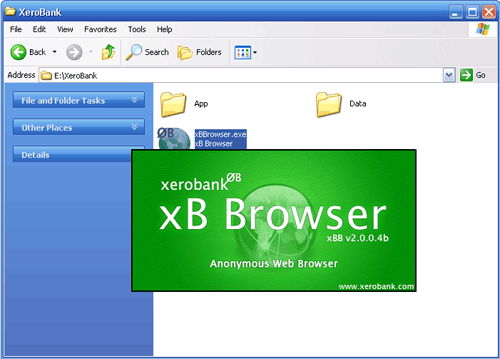
Como vocês sabem, ou deveriam saber, todos os programas de navegação informam os sítios que os visitamos, embora seja apenas o nosso "IP", em termos reais seria o nosso BI, embora por vezes existam casos em que o nosso histórico de navegação também seja partilhado, entre outras coisas, uma das formas que conheço que evita que isto aconteça é utilizar este navegador:
https://xerobank.com/
Podem ainda fazer um teste nesta página (https://xerobank.com/tools/anonymity-checker/) para verem quais são as informações que os sítios retêm de vocês.

Para navegar em segurança pode-se utilizar o Safespace, esta ferramenta de momento ainda é gratuita mas pelo andar do tempo deve começar a ser cobrado, como muitas ferramentas já foram.
Algumas coisas que é necessário saber é que se usares o Windows XP tens de ter instalado o "Net Framework 2.0", caso não tenhas podes fazer o download aqui (http://www.microsoft.com/downloads/pt-pt/). Um outro assunto é que após reiniciar carrega duas vezes no ícone do Safe space, e algumas dicas que posso dar são:
-Em "Home" vê as aplicações protegidas
-Em "Privacy" podes conhecer as pastas de disco sob vigilância
-Em "Aplications" podes conhecer as aplicações protegidas e adicionar mais em "Add".
-O "Purge Safe Space" apaga todas as alterações e permite que tudo fique limpo
-Quando estas a navegar usando aplicações seguras irás ver uma barra vermelha à volta, que poderás alterar a cor.
Por agora fico-me por aqui e algumas questões é só colocar.
Até à próxima.


Inspired by the remarkable xkcd webcomic visual language, Michael Ogawa created a series of visualizations mapping collaborative efforts of various developers in a variety of tools and programming languages, such as Apache or Python.
Data comes from the project repository logs. Time flows horizontally from left to right. At each timestep (usually a month) developers are clustered by the files they modify. A histogram at the bottom shows the volume and type of file committed. You can mouse-over individual lines to see them better.
The two images shown here display the collaborations between developers of Apache (a popular webserver) during the first two years of planning and documentation of its 2.0 branch."
Url: Visual complexity (08 07 2011)
"

Developed by Facebook intern Paul Butler this visualization maps the connections of 10 million Facebook users spread across the globe. Butler took a sample of 10 million pairs of friends from Facebook's Apache Hive database, Facebook's warehouse containing the social graph of 500 million people, and matched them with the corresponding coordinates of each city, connecting them with blue lines.
As Butler explains: "Visualizing data is like photography. Instead of starting with a blank canvas, you manipulate the lens used to present the data from a certain angle. (...) What really struck me, though, was knowing that the lines didn't represent coasts or rivers or political borders, but real human relationships. Each line might represent a friendship made while travelling, a family member abroad, or an old college friend pulled away by the various forces of life." "
url: Visual Complexity (08 07 2011)
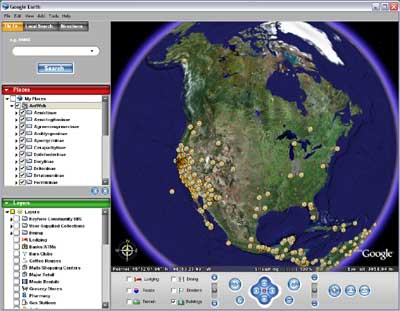 Url of he image
Here are some interesting things for Google Maps:
Real-Time Planes & Ships on Google Map:
This amazing Spanish Google Map seems to have set itself the task of tracking in real-time just about anything that moves (http://www.localizatodo.com/mapa/)
The Indiana Jones Map Effect:
"Do you remember the travel/flight sequences in the Indiana Jones movies?
Hacks.mozilla.org remember them so fondly that they decided to recreate the effect with Google Maps and a YouTube video. The result is pretty awesome as you can see in the video above or see for yourself on the demo page."
Pacman on Google Maps:
"PacMap is an application that turns your neighborhood into a real-life Pac-Man game.
PacMap overlays yellow pac-dots on top of a Google Map of your location. Your goal is to walk your neighborhood gobbling up the dots whilst avoiding the familiar Pac-Man enemies.
Via: AppBrain"
People Search on Google Maps:
"Spokeo is a people centred search engine that lets you search for information about people by name and location.
If you enter someone's name into the Spokeo search engine the results are returned on a Google Map. The results are clustered on the map and organised in the map sidebar by state. " (http://www.spokeo.com/)
Google Earth Flight Simulator:
"GE Flight Simulator is a very realistic flight simulation game that uses the Google Earth plugin.
Using the simulation you can fly anywhere in the world. The simulation uses Google Maps to display and help you navigate to over 30,000 airports around the world. To view the map in flight just click the "show map" button in the option bar." "You can also view the map of the 30,000 airports on its own here."
(http://www.ge-flightsimulator.com/)
Instant Street View Postcards:
"This handy Google Maps application is just what you need if you want to share the Street View image of a location with your friends."(http://showmystreet.com/)
10 Great Car Journeys in Street View:
"This week the Jalopnik website used TripGeo to create an animated Street View drive of the Dalton Highway in Alaska.
TripGeo is a great widget that lets you create embeddable animated Street View journeys anywhere that Google Maps has Street View coverage. Inspired by Jalopnik, here are my ten favourite Street View journeys animated by TripGeo:
Dalton Highway, Alaska

Transfagarasan Highway

The Transfăgărăşan is the most dramatic and second-highest paved road in Romania. The 90 km of twists and turns run north to south across the tallest sections of the Southern Carpathians, between the highest peak in the country, Moldoveanu, and the second highest, Negoiu.
Chapmans Peak, South Africa

Chateau d'Eox , Switzerland

Kirkstone Pass, UK

Kirkstone Pass is a mountain pass in the English Lake District, in the county of Cumbria. This is the Lake District's highest pass that is open to motor traffic.
Millau Viaduct, France

The Millau Viaduct is a cable-stayed road-bridge that spans the valley of the river Tarn near Millau in southern France. It is the tallest bridge in the world,
Highway 1, California

Lake Como, Italy

Øresund Bridge, Denmark to Sweden

The Øresund Bridge connects Sweden and Denmark, and it is the longest road and rail bridge in Europe.
Stuart Highway, Australia

The Stuart Highway is one of Australia's major highways. It is the principal north-south route through the central interior of mainland Australia and is often referred to simply as "The Track"."
Create a Google Map in 60 Seconds:
"Mapbiquity is a Google Maps based creation tool that can help you create a Google Map for your website." (http://www.mapbiquity.com/)
And finally something that`s not from Google Maps but from Google Body Browser, that`s right, here it is:
Mapping the Human Body:

"After Google has mapped the Earth, the moon and the night sky it seems that the only thing left was the human body. Google Labs have just released the Google Body Browser that lets you explore the body."(http://bodybrowser.googlelabs.com/index.html)
 url of image
Here are some interesting ideas for Facebook users:
Send videos:
Of course that you can already send videos but this tool it`s easier to use, and you can upload videos from your cellphone or your webcam, just use the url adress that it provides, it also works with Twitter.
 Create a distinct group of people to chat with:
Sometimes you have so many people, some of witch you don`t want to really talk to, here`s a Facebook application that you can use, just go to the site and create a list of friends, family etc..., and then "Edit" the list and chooose the "Friends" you want on that list, "Save" it and then it only shows the name and image of the people that`s online and the you have chosen.
 url of the image
Facebook new email:
If you want the new Facebook application of email, that it`s actually email and not just the messages, i advice you to request an invitation, i`m on the list =) It`s all the Facebook features and it`s an email, it`s a deadly competition to Gmail and Hotmail.
 url of the image
Antivirus for Facebook account:
During the last times the site as been hacked, so here`s a special antivirus for you, you log in your Facebook account, then go to the adress and click on the "Oki-dokey! Let`s see the App", allow that the "Bitdefender Safego" access your basic information, in the next image click on the "Double check" botton and wait for the result of the scan on your items.

 url of the image
Facebook photos with high quality:
Now you can upload and download the photos on your album, or your friends album, with high quality, you just have to choose that option when you`re ready to upload a photo to your album, and when someone is going to download it, it can see that same option, to download that same image with the same quality that you have uploaded it, on the right side of the screen, on the bottom, as for the address you all now it: http://www.facebook.com/
And by the way, if you are one of those kind of people, like i was, that as a lot of applications connected with your Facebook account, don`t forget, that`s a risk for your privacy, so time to time go to your "Account", "Privacy", "Applications" and "Edit" the permission of some of those sites, or don`t tell me that you still use the same application of two years ago?
I hope this as helped you somehow, any question just ask, i`m no expert but i know some things...

In request of many people i have returned to this blog and in English...
I`m going to write about the various types of multimedia files, the "MP3", "WMA", "OGG", "AAC", "WAV", "FLAC", and also about the a way to switch them from their original gender to another format.
MP3
It´s the theme that`s usually used for MPEG-1 Audio Layer3, witch is a way to codify the audio. It may not have the best quality but it allows you tho keep a large number of files into one small device that doesn`t have much space in it.
This process is made by reducing the sounds that most people can`t ear, therefore the size of the file can be smaller than the original one, usually it`s 10% smaller.
The speed of bits more usual for an MP3 file it`s 128Kb/s.
WMA
The WMA (Windows Media Auto) was developt by Microsoft because of he rise of MP3 files, the new versions of the codec support audio multichannel, in contrary of the MP3. The WMA Voice it`s a special version of the low speed of bits from the codec used for the reproduction of voice only, and because of that the files are smaller in size, therefore easier to put in any portable device with a piece of space.
OGG
This format it`s usually used for the compression mode of Vorbis.com, these files are called OGG Vorbis or .ogg files.
This format also loses some quality in the sounds but in contrary of the MP3 files it`s an open source software, witch is kept by a foundation without any profit, Xiph.Org.
People that use this format are defenders of the open source software.
AAC
The Advanced Audio Coding (ACC) was developt to be the successor of the MP3 files, it also loses some quality but offers a better quality than the MP3 files with same speed of bits.
This format is used by the iTunes, iPhone and iPod, and Sony also uses it on the Playstation3.
WMA
WAV or WAVE it`s the short name for the audio in form of wave, it was created by Microsoft and IBM in the beginning of the 90´s and it`s the format used by the non compress audio fles of the windows program.
Aldo it`s possible to keep a compressed file in a WAV file it`s not a good option because the files use a lot of space, and because of this it`s not, usually, used to keep, store and distribute but as a way to create, edit and mix audio files.
FLAC
Free Losiess Audio Codec (FLAC) allows to compress a file without losing any quality, in theory it`s exactly the same as the original file.
It`s am open source software witch allows many equipments to support it, and if you like your audio files up to 50%-60% smaller in space and the same in quality, this is your choice.
Resume:
The Mp3 it`s the most used format with most users, the WMA allows various choices, the ACC it`s most efficient and used by the iTunes and the FLAC doesn`t have any loses in the quality of sound when compressing it.
How to convert an audio file:
You can use the Media Coder Audio Edition, www.mediacoderhq.com/.
It`s a smaller version of the Media Coder, that also allows to process video formats, it`s possible in the speeds of 36 and 64 bits.
Another option it`s the Super v2010.
http://sossirb.viviti.com/
Uma rede mundial de geradores de números aleatórios mostra anomalias de funcionamento quando se produzem acontecimentos que afectam milhões de pessoas, de acordo com uma experiência iniciada em 1998 e que hoje se confirma em países de todos os continentes.
A rede chama-se The Global Consciousness Project (GCP) e representa o primeiro esforço internacional para analisar se a tensão social partilhada por milhões de pessoas quando ocorrem determinados acontecimentos relevantes, pode ser medida e validada cientificamente.
A rede GCP funciona há 35 anos em 65 países, desde o Alasca às ilhas Fidji. Funciona em todos os continentes do globo e em todas os fusos horários. Nela trabalham 75 investigadores, analistas e engenheiros.
Apesar de estar oficialmente na Universidade de Princeton e muitos dos pesquisadores que nela participam fazerem parte do mundo académico, a rede GCP não é financiada por subvenções universitárias, mas por uma série de patrocinadores.
The Princeton Engineering Anomalies Research (PEAR) foi criado em 1979 pelo decano da Escola de Engenharia e Ciência Aplicada da Universidade de Princeton, Robert G. Jahn, com a finalidade de estudar cientificamente a interacção entre a consciência humana e os instrumentos mecânicos e físicos. Entre os artigos explicativos desta experiência destaca-se o publicado pela revista Foundations of Physics Letters. O texto integral foi divulgado pelo GCP.
Vejam alguns vídeos disponíveis no youtube se quiserem saber mais, espero que tenham gostado.
Vão a este endereço e cliquem no endereço que diz "Comoequesefaz":
Pesquisa Google com essas palavras
Vão reparar que diz que o blog não foi encontrado, pois este blog pertencia a um colega e amigo meu que depois desistiu e anulou o blog.
Agora a melhor parte, é possível ainda ver o conteúdo do blog, como? Muito fácil, basta que vão ao mesmo sitio e que invés de clicar no endereço principal cliquem em baixo na opção que diz "cache", se não encontrarem a opção aqui esta o link:
Comoequesefaz em chache
Como é possível?
"O Google mantém em cache o texto de muitos documentos que pesquisa. Isto permite aceder a uma versão arquivada ou guardada da página web que é fornecida aos utilizadores se a página original estiver inacessível (devido a uma falha temporária do servidor da Web Page). A página em cache surge aos olhos do utilizador exactamente com o aspecto que tinha a última vez que o Google lhe acedeu. A página em cache inclui também uma mensagem (no topo da página) indicando que está a apresentar uma versão arquivada da página.
Se você quiser evitar que todos os robots arquivem o conteúdo de seu site, use a meta tag NOARCHIVE. Coloque esta tag na seção >> de seu documento como segue:
Se você quer permitir que outros robots de indexação arquivem o conteúdo de suas páginas, evitando que apenas os robots do Google façam cache da página, use a tag a seguir:
Atenção: Esta tag apenas remove o link "em cache" da página. O Google continua a indexar a página e mostrar um snippet."
Retirado e copiado de: http://www.google.pt/intl/pt/remove.html
Existe uma forma de terem um navegador no pc, e outro no telemóvel, sempre sincronizados, em que sempre que actualizam/adicionam ou eliminam widgets, marcadores, temas etc ambos os navegadores, telemóvel e pc, estarão sempre actualizados pois as alterações serão salvas numa conta, na qual estará as vossas actualizações.
E gosto mais desta opção que as aplicações portáteis normais que podemos instalar em dispositivos portáteis, se quiserem saber quais vejam este post: Aplicações portáteis
O navegador que vos estou a falar é o Opera, não sei se conhecem, mas é um navegador que possui as mesmas características que o Mozilla Firefox, inclusive é apontado por alguns como mais rápido que o Mozilla, mas isso já não posso confirmar, o que posso afirmar é que, para mim, é aparentemente igual.

Vamos agora ao que interessa, se quiserem fazer o download deste navegador vão a este endereço:
http://www.opera.com/download/
Depois devem fazer o download no vosso telemóvel desta aplicação, insiram este endereço no vosso telemóvel:
http://www.operamini.com/download/
Façam o download da aplicação e depois de ambos os navegadores instalados sigam estes passos, o que pode ser feito no vosso pc ou no telemóvel:
1-Cliquem na opção "ficheiros"
2-Depois escolham a ultima opção, "Sincronizar Opera"
3-Cliquem em "Registar" e criem uma conta
4-Activem a conta pelo mail, onde nos é dado um link para a sua activação
5-Depois vão ao vosso telemóvel ou pc, pois depende de onde iniciaram a sincronização, e sigam o mesmo caminho, "ficheiros", "Sincronizar Opera", insiram o vosso login e password
Nota:Se por algum motivo quiserem desistir desta opção basta que vaiam ao vosso navegador e escolham "ficheiros" e depois "parar a sincronização do Opera"
Existem mais algumas coisas que ja agora podem fazer com o Opera, como alterar a sua velocidade de carregamento das páginas, ou temas, widgets etc...tal como no Mozilla Firefox.
Para mais informações sobre isto vejam este post que fiz sobre o Mozilla: Alterar velocidade
como alterá-lo, e o caminho é o mesmo, basta que alterem de "about:mozilla" para "about:opera" e o caminho é o mesmo.
Mais uma vez digo, muito parecido ao Mozilla.
Alguma duvida digam, até à próxima.

http://www.youconvertit.com/

http://site24.eu/
 http://www.mindmeister.com/
http://www.mind42.com/

http://www.diigo.com/

http://www.netvibes.com/
Caso queiram experimentar:
http://www.bubbl.us/
PS: Depois da criação de mapa, devem gravar o vosso esquema para depois poderem ter a opção de colar onde quiserem, alguma questão só dizer...